
Description
In TechnoHelper Bots AI, students step into the exciting world of AI for Kids as Robot Designers. Across six engaging hands-on sessions, students explore how Helper Bots work, how computers make decisions, and how AI systems learn from data. Through creative projects, coding activities, and machine learning experiences, students design and improve their own interactive Helper Bots.
AI for Kids
Unlock critical thinking, problem solving, technology literacy, and innovation through this introduction to Artificial Intelligence for young learners. Students discover how Helper Bots make everyday life easier while exploring the basic ideas behind how AI works.
Through hands on activities, students learn about inputs and outputs, create patterns and sorting rules, train a simple machine learning model, map decision trees, and code interactive choice stories using Scratch. Along the way, they test, improve, and refine their prototypes using the design and iteration cycle just like real AI developers. The journey concludes with the exciting Helper Bot Expo. Students proudly showcase their completed creations and celebrate becoming Robot Designers.
Become a Robot Designer
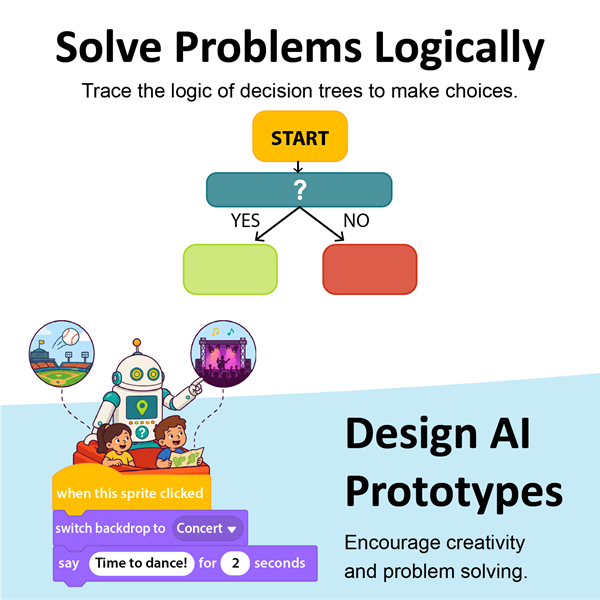
In this course, students imagine, plan, and build their very own Helper Bots. To get ready, they explore decision trees and learn how yes and no questions help computers and AI systems make smart choices. Then using Scratch, students create interactive projects that respond to user choices and bring their robot ideas to life. By combining creativity, coding, and logical thinking, students step into the roles of Robot Designers and AI innovators.
Learn About AI, Kindness, and Ethics
Students discover that great AI is not only smart, but also fair and helpful. Using real world scenarios, students examine how AI choices can affect people in different ways. Then they consider the possible outcomes of those decisions. To demonstrate their understanding, students use Scratch coding to create an animated Helper Bot Pledge that promotes positive and ethical use of AI. Throughout the course, they explore the importance of kindness, fairness, and responsible decision making when designing Helper Bots.
Explore Project Based Learning with Scratch Coding
Build confidence with AI concepts through engaging, hands on projects that combine coding and problem solving. Students apply their learning through meaningful tasks that connect AI concepts to classroom subjects, including Math, Science, and Technology.
Using Scratch coding, students create interactive projects that bring AI concepts to life. They build pattern recognition, computational thinking, decision making, and digital literacy skills. Designed for young learners, TechnoHelper Bots AI for Kids activities encourage creativity and cross curricular learning in a welcoming, student friendly learning environment.
Pick a Subscription Option that Fits
TechnoKids offers flexible subscription plans to support any instructional setting.
The Starter License is an affordable choice for first time users and includes everything educators need to successfully teach the course. Included are the online teacher guide, student workbook, course slides, samples, templates, and more.
The Class License is ideal for schools and classrooms where students benefit from having their own accounts to complete activities online, access digital resources, and receive instant feedback through auto graded quizzes.
The Homeschooling License is perfect for families who want a flexible, guided approach to learning AI at home. The easy to follow resources are designed for independent and parent supported learning.
Additional information
| Ages | 7, 8, 9 |
|---|---|
| Ages Category | 6-8 |
| Age Scope Sequence | 7-8, 8-9, 9-10 |
| Grades | grade 2, grade 3, grade 4 |
| Grade Scope Sequence | 2 or 3, 3 or 4 |
| Program | Slides, PowerPoint, Scratch |
| Tech Integration | computer science, math, science, social studies |
| Tech Skill | artificial intelligence, coding, data analysis |
| License | Homeschooling, Starter, Class, Classrooms |
| Starter License Includes | online teacher guide, get started, course slides, printable assessment tools, sample files, templates, extension activities, certificates, parent letters |
| Class License Includes | online teacher guide, getting started tips, course calendar, online student workbook, online assignments, printable assessment tools, online quizzes, student reporting, sample files, extension activities, certificates, parent letters, templates |
| Classroom License Includes | online teacher guide, getting started tips, course calendar, class management tools, online student workbook, online assignments, printable assessment tools, online quizzes, student reporting, sample files, extension activities, certificates, parent letters, templates |
| Product Type | Course |
| Homeschool License Includes | Certificates, Extension activities, Online assignments, Online quizzes, Online teacher guide, Parent letters, Sample files, Student reporting, Templates |
Session 1 – Meet the Helper Bots
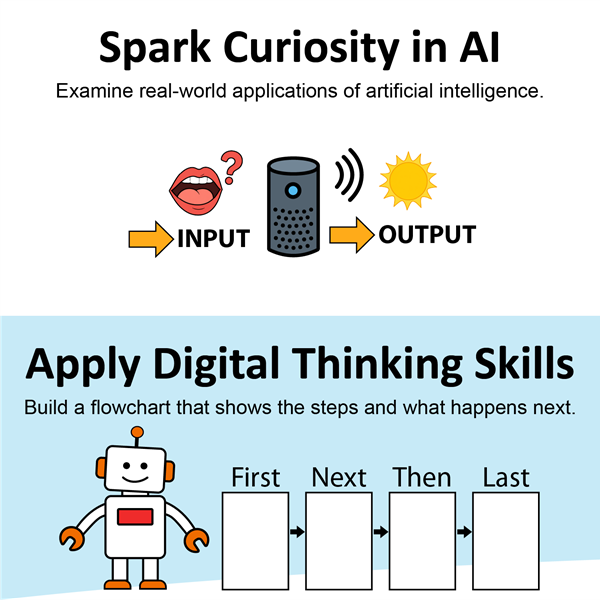
In this session, students become Robot Designers. They meet Helper Bots and discover how these smart digital assistants can make everyday life easier. Students explore how Helper Bots use data by taking in information called input and creating a result called output. Next, students play an interactive online AI game where they draw different objects and watch as AI tries to guess their sketches. Their drawings become the input, while the AI’s guesses are the output. To consolidate their learning, students use their creativity and new knowledge to design their very own Helper Bot.Session 2 – Think Like a Helper Bot
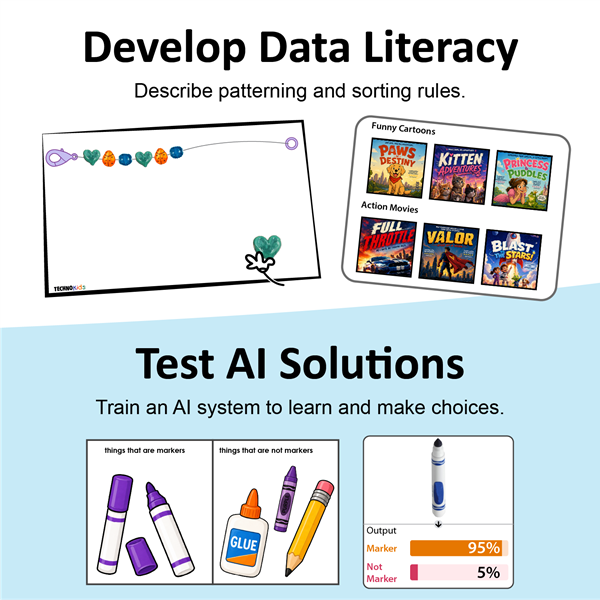
In this session, students discover how computers use patterns to help make decisions. They begin by exploring shape patterns and learning how to spot and describe the rules behind them. Next, students become designers as they build their own patterns by creating a friendship bracelet. To finish, students use a hands-on sorting template to group shapes into categories, strengthening their pattern recognition skills and figuring out the sorting rule for each set. This session provides a strong foundation for the next session, where students will train a Helper Bot to classify objects using a real AI system.Session 3 – Train a Helper Bot
In this session, students train a 'Clean Up' Helper Bot that is having trouble sorting school supplies and keeps mixing everything up. To begin, students classify different tools and reflect on the rules they used to group each item correctly. Next, they step into the role of AI developers and train a real machine learning model. Using Teachable Machine, they add images to help the bot learn how to identify objects. The newly trained Helper Bot will be ready to keep the classroom clean.Session 4 – Draft a Helper Bot Pledge
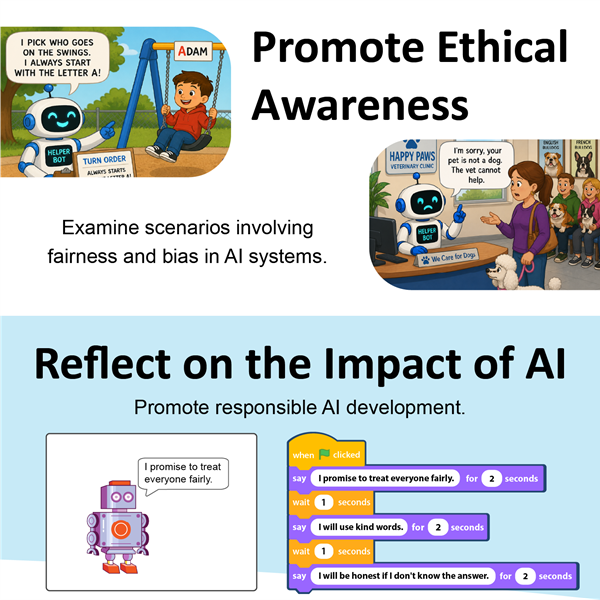
In this session, students consider the importance of fairness and why it matters when designing Helper Bots. To understand this issue, students analyze different fairness scenarios and discuss potential outcomes. They then demonstrate their learning by using Scratch to code a Helper Bot Promise.Session 5 – Code a Helper Bot
In this session, students create a Helper Bot in Scratch that can transport users to amazing destinations! Users choose where they want to go, and the Helper Bot magically switches the scene to that location. To get ready, students explore decision trees and discover how asking yes and no questions can help guide choices, just like real computers and AI systems do. They then investigate a sample Scratch project to see how the code works behind the scenes. Finally, students become creators as they plan, design, and code their very own Helper Bot experience.Session 6 – Helper Bot Expo
In this session, students attend a Helper Bot Expo where they showcase their amazing robot creations. Expo visitors can test the Robot Designers’ Helper Bots, explore their features, and leave comments. After the celebration, students can reflect on their learning journey and share what they discovered while designing, coding, and improving their robots.Fun AI for Kids Activities
- Plan a School Helper Bot
- Put the Events in Order
- Sort Your Clothes
- What Do You Like?
- Train A Snack Bot
- About Training the Helper Bot
- AI Bots and Ethics
- Animate the Helper Bot Promise
- Play a Guessing Game
- Reflect on Being an AI Robot Designer
- Celebrate Your Achievement
TechnoHelper Bots AI introduces young learners to the fundamentals of AI for Kids through imaginative, project based learning. Students investigate how smart technologies make choices, recognize patterns, and respond to input. Then students use Scratch coding to design and build their own interactive Helper Bots. Students will learn to:
- Explain how Helper Bots assist people in their daily lives
- Explore how bots use patterning and sorting rules
- Train a bot to classify objects using examples and non-examples
- Examine how training data influences how a bot works
- Describe ethical behaviors an AI bot should follow
- Follow a decision tree to make a choice based on a condition
- Code a Helper Bot in Scratch to recite a fairness pledge
- Plan, code, test, and debug an AI prototype
- Collaborate with peers to share, test, and provide positive feedback on Helper Bots
- Reflect on the learning experience by describing challenges, offering advice, and next steps





Reviews
There are no reviews yet.